
Updated: 2026-03-07

MT4 Trading Journal: How to Export MetaTrader 4 Data and Find Your Behavioral Leaks

MetaTrader 4 is defined as the world's most widely deployed retail forex and CFD trading platform, developed by MetaQuotes Software and launched in 2005. With approximately 10 million registered users across hundreds of brokers globally, MT4 has become the default environment for retail forex traders. Yet despite its depth of charting and execution features, MT4's native journaling capability stops at a trade list — it shows you what happened, never why. According to the FCA and ESMA regulatory disclosures, 74–78% of retail derivative accounts lose money. According to Barber and Odean's landmark study published in the Journal of Finance (2000), the most active traders underperformed the market by 6.5% per year — and behavioral causes, not strategy failures, were the primary driver. An MT4 account history export cannot tell you that your post-loss win rate is 31%, or that your edge disappears completely after 14:00 GMT. For that, you need a behavioral trading journal built to consume MT4 data.
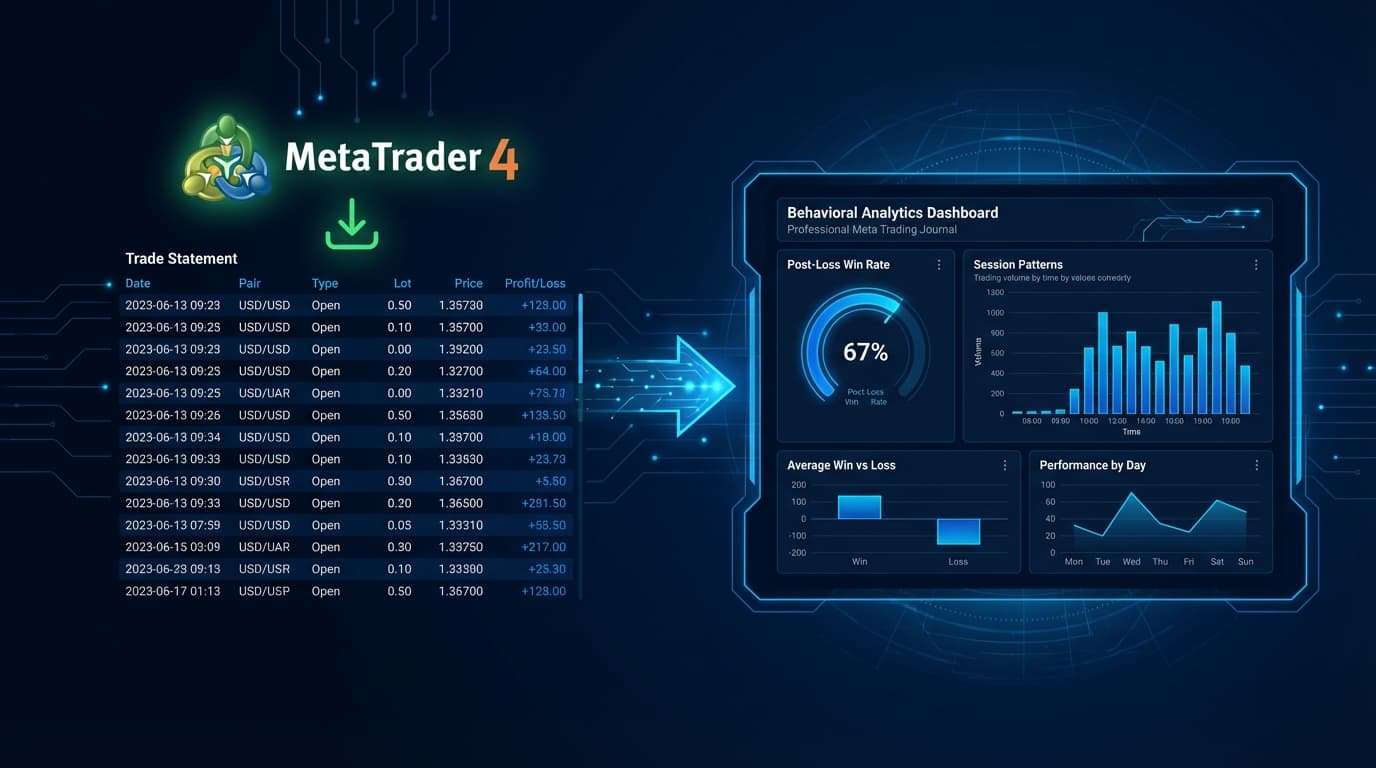
MT4 Trading Journal: How to Export MetaTrader 4 Data and Find Your Behavioral Leaks

What Is MetaTrader 4 (MT4)?

MetaTrader 4 is a forex and CFD trading platform developed by MetaQuotes Software Corporation and released in 2005. It is used by the majority of retail forex brokers worldwide as their primary execution environment. MT4 provides four core capabilities: advanced charting with 30 built-in technical indicators, automated trading via its MQL4 scripting language (Expert Advisors), real-time price feeds across forex pairs, metals, and CFDs, and a built-in order management system.

MT4's dominance in retail forex is a function of its early-mover advantage, broker adoption, and the depth of its Expert Advisor ecosystem. The platform is available as a desktop application for Windows, a web terminal, and mobile apps for iOS and Android. MetaQuotes later released MetaTrader 5 (MT5) with additional asset classes and order types, but MT4 remains the more widely installed platform as of 2026, particularly among forex-focused retail traders.

What MT4 is not is a trading journal. Its Account History tab stores a record of closed trades, but the data it captures is transactional — entry price, exit price, lot size, duration, and P&L. There is no mechanism in MT4 to record decision context, tag emotional state, compute behavioral metrics, or identify whether your performance degrades across a session.

Does MT4 Have a Built-In Trading Journal?

MT4 includes a tab labeled "Journal" in its Terminal window, but this is a system event log — not a trading journal. It records platform events such as order confirmations, connection status changes, and Expert Advisor messages. It is a debug log, not a performance review tool.

The closest thing MT4 offers to a trading journal is the Account History tab in the Terminal window, which displays a chronological list of closed trades. From here you can right-click and generate a Statement — an HTML or CSV report of your trading history. The Account History Statement includes:

What it shows: ticket numbers, open and close times, instrument, trade direction, lot size, open price, stop loss, take profit, close price, commission, swap, and net profit/loss.

What it does not show: the reason you entered the trade, your emotional state at entry, how long after a losing trade the next trade was placed, whether your win rate drops in the afternoon, whether your average loss size increases after a drawdown, or any behavioral pattern that distinguishes your good trading days from your bad ones.

This gap is not a design oversight — MT4 was built as an execution platform, not an analytics platform. Filling that gap requires exporting the Account History data and importing it into a dedicated journal that applies behavioral analysis on top of the raw fill data.

  • MT4 Account History: trade list with P&L, prices, lot sizes — transactional only
  • MT4 Journal tab: system event log, not a performance tool
  • No behavioral metrics: no post-loss win rate, no revenge sequence detection, no session fatigue
  • No setup tagging: no way to classify trade type, strategy, or decision quality
  • No statistical testing: no Edge Lab, no expectancy by setup or time window

How to Export Your MT4 Trade History

Exporting your full trade history from MetaTrader 4 takes under two minutes. The export produces either an HTML report (suitable for human review) or a CSV file (suitable for import into Tiltless or other tools). Use the CSV or detailed HTML path for import purposes.

Step 1: Open your MT4 desktop terminal and ensure you are connected to your broker's server.

Step 2: In the bottom panel, click the Terminal tab. If the Terminal window is not visible, press Ctrl+T to open it.

Step 3: Click the Account History tab inside the Terminal window.

Step 4: Right-click anywhere in the Account History trade list. A context menu will appear.

Step 5: Select Save as Report or Save as Detailed Report. The detailed report includes individual trade rows rather than summary-only data — always choose detailed.

Step 6: In the Save dialog, change the file type to CSV (comma-separated values) if you want a structured import file, or leave it as HTML if you want a formatted report for manual review.

Step 7: Choose your save location and click Save.

The resulting CSV will contain columns for: ticket, open time, type, size, item (symbol), price, S/L, T/P, close time, close price, commission, taxes, swap, and profit. This is the file you import into Tiltless.

  • Terminal (Ctrl+T) → Account History → right-click → Save as Detailed Report
  • Choose CSV format for structured import into Tiltless
  • Always use Detailed Report — not Summary — to get individual trade rows
  • Set the date range before exporting: right-click → All History for full account history
  • MT5 users: the process is identical — Terminal → History → right-click → Save as Report

How to Import MT4 Data into Tiltless

Once you have your MT4 CSV export, importing it into Tiltless takes under three minutes. Tiltless auto-detects MT4's standard column format and maps fields without manual configuration.

Step 1: Log in to your Tiltless account at tiltless.ai. If you do not have an account, create one for free — no credit card required.

Step 2: Navigate to the Connections page (or click Import in the sidebar).

Step 3: Select MetaTrader 4 / MT4 CSV from the broker/platform list.

Step 4: Upload your saved CSV file. Tiltless will parse the MT4 column structure and display a preview of detected trades.

Step 5: Confirm the date range and symbol mapping. For exotic pairs or CFD instruments with non-standard naming, Tiltless provides a symbol mapping tool so your instruments are correctly categorized.

Step 6: Click Import. Tiltless will process your trades, compute session boundaries, and run its behavioral analysis pipeline.

Within minutes of import, your MT4 trade history becomes a behavioral dataset: post-loss win rate, revenge sequence frequency, time-of-day performance curves, session fatigue scoring, and Edge Lab statistical tests on every setup you have traded.

  • Tiltless auto-detects MT4 CSV column format — no manual mapping required for standard exports
  • Supports full account history imports — no trade count ceiling on any paid plan
  • Symbol mapping handles non-standard broker instrument names (e.g., EURUSDm, XAUUSD.i)
  • Import is additive — re-importing after a new session appends new trades without duplicating existing ones
  • API sync available for MT4 brokers that expose a REST or FIX feed — eliminates the manual CSV step

What MT4 Doesn't Show You: Behavioral Analysis

The core limitation of MT4 Account History is that it records outcomes, not behavior. Two traders can have identical P&L over a month but completely different behavioral profiles — one trading with consistent discipline, one getting lucky while taking increasingly reckless revenge trades. MT4's statement cannot distinguish between them. Tiltless can.

Post-loss win rate is the most immediately actionable metric MT4 cannot provide. It measures what percentage of trades placed within a defined window after a losing trade result in a win. For the average retail trader, this rate is measurably lower than baseline win rate — meaning losses trigger worse decision-making. Knowing your specific post-loss degradation gives you a concrete rule: after a loss, take a break.

Revenge sequence detection identifies chains of trades where the behavioral signature of revenge trading is present — increasing position size, shortened time between entry and re-entry, tighter stop placement after a stop-out. Tiltless flags these sequences and computes their P&L contribution. Most traders who see this number for the first time are surprised by how much it costs them annually.

Time-of-day degradation analysis builds a performance curve across every hour of the trading session. Many MT4 forex traders have a sharp morning edge that deteriorates after lunch — but without this chart, they keep trading the full session. Knowing your edge is concentrated in the first two hours of the London session is worth more than any indicator.

Fatigue scoring tracks performance drift across consecutive trading hours within a session. It detects whether your average trade P&L, win rate, and risk-adjusted return decline the longer you stay in front of the screen — and by how much. This is the metric that justifies a hard session stop-time rule.

Edge Lab applies statistical significance tests to your setup data. If you categorize trades by strategy or setup type during import, Edge Lab will tell you which of your setups has a statistically significant positive expectancy and which are noise. This prevents over-trading setups that feel right but test flat.

  • Post-loss win rate: measures decision quality degradation after losses — typically 10-20% below baseline for active traders
  • Revenge sequence detection: identifies and prices the cost of emotional re-entry chains
  • Time-of-day curves: shows exactly which hours your edge is present and when it evaporates
  • Session fatigue scoring: quantifies how much performance degrades across hours within a single session
  • Edge Lab: statistical significance testing on setup-level data — separates real edge from lucky samples

MT5 Users: The Same Process Applies

MetaTrader 5 uses an identical export workflow to MT4. In the MT5 terminal, navigate to the History tab (rather than Account History — MT5 renames the tab), right-click the trade list, and select Save as Report or Save as Detailed Report. The resulting CSV has the same column structure as MT4 with minor additions for MT5-specific order types.

Tiltless accepts MT5 CSV exports through the same import flow. Select MetaTrader 5 / MT5 CSV from the platform list during import — Tiltless will apply the correct column mapping for MT5's slightly different field order.

If you trade both MT4 and MT5 accounts (common among traders who run different strategies across platforms), you can import both into a single Tiltless account and view unified behavioral analytics across all activity. The Edge Lab and behavioral metrics compute across the combined dataset, so you get a single view of your full trading behavior rather than two siloed reports.

Related Resources

FAQ

?Can MT4 track my trades automatically?

MT4 records all closed trades in the Account History tab automatically — you do not need to do anything for trades to appear there. However, MT4 does not automatically send this data to an external journal or analytics platform. To get your trades into Tiltless, you export the Account History as a CSV (right-click → Save as Detailed Report) and import that file into Tiltless. If your broker offers an API connection, Tiltless can sync trades automatically without the manual export step — check the Connections page to see if your broker is supported.

?Does Tiltless work with MT4?

Yes. Tiltless accepts MT4 CSV exports through its import flow. Export your Account History as a Detailed Report in CSV format from the MT4 terminal, then upload the file to Tiltless via the Connections → Import page. Tiltless auto-detects the MT4 column format, maps your instruments, and runs its full behavioral analysis pipeline on your trade history. For brokers that support direct API connection, Tiltless can also sync trades automatically without a manual export.

?What is the difference between MT4 Account History and a trading journal?

MT4 Account History is a transactional ledger — it records the mechanical facts of each trade: instrument, direction, lot size, entry and exit prices, and P&L. A trading journal is a behavioral analytics layer built on top of that raw data. It answers questions the ledger cannot: What is my win rate in the hour after a losing trade? Do I increase position size after drawdowns? Which setups have statistically significant positive expectancy? Tiltless is designed to be that behavioral layer for MT4 traders — you supply the raw fills via CSV export, Tiltless supplies the analysis.

?Does Tiltless support MT5?

Yes. MT5 uses the same export workflow as MT4 — navigate to the History tab in the MT5 terminal, right-click, and select Save as Detailed Report in CSV format. During import in Tiltless, select MetaTrader 5 / MT5 CSV from the platform list. Tiltless applies the correct column mapping for MT5's field structure and runs the full behavioral analysis pipeline on your trade history. If you have both MT4 and MT5 accounts, you can import both into a single Tiltless workspace.

Import MT4 Trades Into Tiltless — Free

MT4 shows you P&L. Tiltless shows you why you made or lost it. Export your MetaTrader 4 Account History as a CSV and import it in minutes — see your post-loss win rate, revenge sequences, and time-of-day edge curve, all free, no card required.

MT4 Trading Journal: Export MetaTrader 4 Data and Analyze Your Trades | Tiltless