
Updated: 2026-03-07

NinjaTrader Trading Journal: Export, Import, and Behavioral Analysis

NinjaTrader is the dominant platform for futures day traders. With more than 500,000 registered users, it is the go-to environment for trading ES, NQ, CL, GC, and other CME products — offering advanced charting, ATM strategies, automated execution, and detailed performance reports built directly into the platform. But NinjaTrader's built-in analytics have a hard limit: they tell you what happened, not why. According to research by Barber and Odean (Journal of Finance, 2000), the most active traders underperform passive investors by 6.5% per year on average — not because their strategies are flawed, but because they lack a systematic way to identify when their own behavior is undermining their edge. According to the European Securities and Markets Authority (ESMA) and FCA, 74–78% of retail derivative accounts lose money. Behavioral self-awareness is the gap between those statistics and the traders who beat them. This guide explains how to export your NinjaTrader trade history and import it into Tiltless for the behavioral layer that NT8's performance reports do not provide.
NinjaTrader Trading Journal: Export, Import, and Behavioral Analysis

What Is NinjaTrader?

NinjaTrader is defined as a futures, forex, and stock trading platform developed by NinjaTrader LLC, headquartered in Denver, Colorado. It is the most widely used third-party execution platform among active US futures day traders, with a particular stronghold in CME Group products: the E-mini S&P 500 (ES), E-mini Nasdaq-100 (NQ), Crude Oil (CL), Gold (GC), and their Micro equivalents (MES, MNQ, MCL, MGC).

NinjaTrader's edge is execution depth. ATM (Advanced Trade Management) strategies allow traders to define bracket orders — stop, target, and trailing mechanisms — that trigger automatically on fill. NinjaScript gives quant-oriented traders a full C#-based API for building custom indicators, strategies, and order routing logic. The Strategy Analyzer module runs historical backtests across any NinjaScript strategy.

For prop firm traders specifically, NinjaTrader is the execution layer on Rithmic-connected platforms including Topstep, Apex Trader Funding, MyFundedFutures, and Earn2Trade. This means most funded futures traders already have NT8 installed and a full trade history sitting in it.

  • Dominant platform for CME futures: ES, NQ, CL, GC and all Micro contracts
  • ATM strategies: bracket orders with automatic stop, target, and trail logic
  • NinjaScript: C# API for custom indicators, strategies, and automation
  • Strategy Analyzer: walk-forward and historical backtesting built in
  • Rithmic connectivity: standard execution layer for Topstep, Apex, and other prop firms

NinjaTrader's Built-In Performance Reports

NinjaTrader 8 includes three performance reporting modules that cover the mechanical facts of your trading in substantial detail.

The Trade Performance tab (accessible via the Control Center under Account → Trade Performance) breaks down completed round-trips by instrument, contract month, and session. It reports gross and net P&L, commission, average entry and exit slippage, win rate, average winner versus average loser, max consecutive wins and losses, and profit factor. The Execution tab shows every individual fill with timestamp, price, quantity, and order type. The Strategy Analyzer generates equity curves, drawdown charts, and parameter sensitivity tables for any NinjaScript strategy you have run.

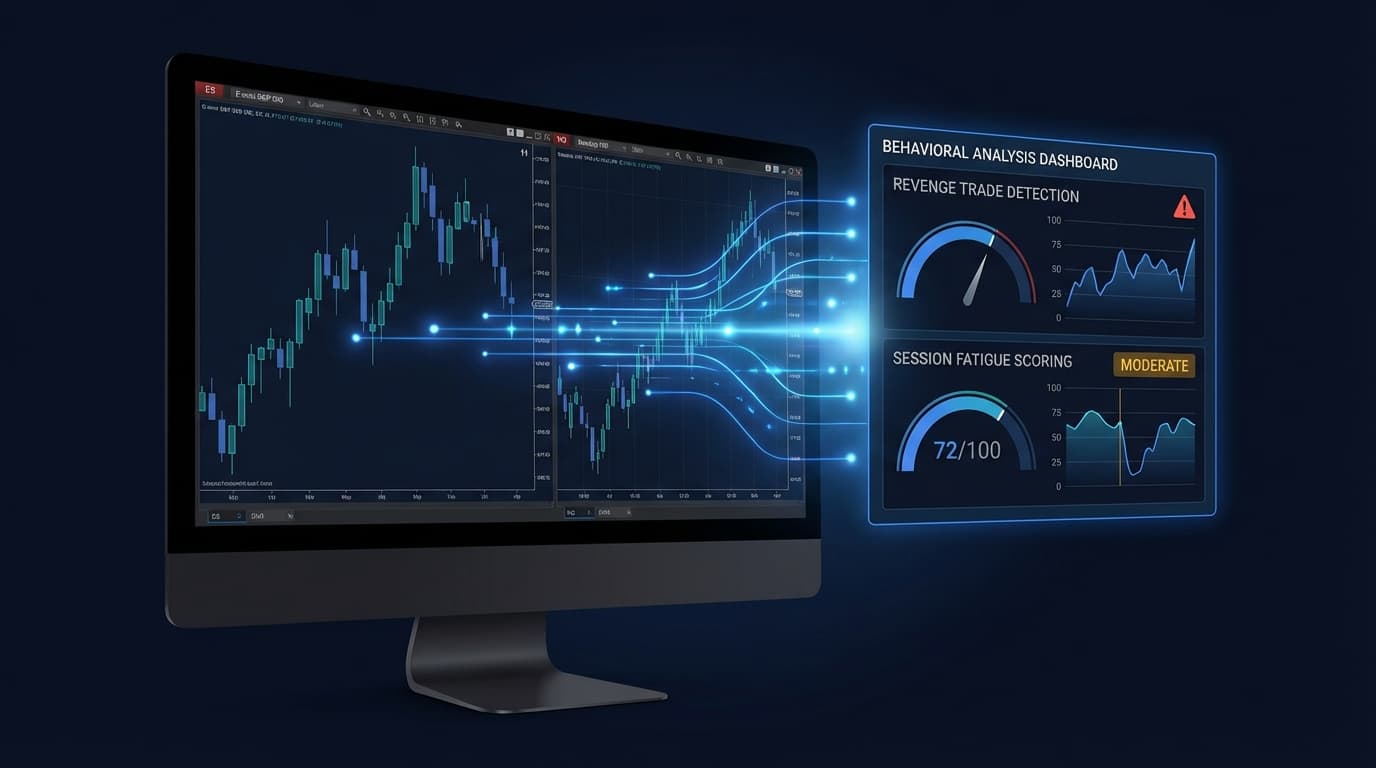
These reports are genuinely useful for quantifying outcomes. Where they stop short is behavioral context. NinjaTrader cannot tell you that your win rate drops 22 percentage points in the 30 minutes after a losing trade. It cannot detect that your average loss is 40% larger on Fridays than on Tuesdays. It cannot identify that your position size increases after drawdowns — the signature pattern of revenge trading. It has no concept of session fatigue, no tilt score, and no mechanism to connect emotional state to statistical outcome. NinjaTrader's reports answer the question: what did I do? Tiltless answers the question that matters more: why does my performance degrade when it does?

  • Trade Performance: win rate, profit factor, avg winner/loser, max consecutive runs
  • Execution tab: fill-level log with price, quantity, timestamp, and order type
  • Strategy Analyzer: equity curves, drawdown charts, parameter sensitivity for NinjaScript strategies
  • Missing: post-loss behavioral pattern detection
  • Missing: time-of-day edge curve by session hour
  • Missing: position sizing drift analysis and revenge sequence detection
  • Missing: tilt scoring and session fatigue tracking

How to Export NinjaTrader Trade History

NinjaTrader 8 exports trade history as a CSV file from the Account Performance section of the Control Center. The process is identical for both live and simulated (Sim101) accounts.

Step 1: Open the NinjaTrader 8 Control Center. This is the main launcher window that appears when NT8 starts.

Step 2: In the top menu bar, click Account, then select Account Performance. The Account Performance window will open, showing your trade history segmented by date range.

Step 3: In the top-left of the Account Performance window, select the account you want to export — your live brokerage account or Sim101 for simulated trades.

Step 4: Set the date range. Use the From and To date pickers to select the period you want to export. For a full history, set From to your earliest trading date.

Step 5: Right-click anywhere in the trade list area. A context menu will appear with the option Export to CSV. Click it.

Step 6: Choose a save location and filename. NinjaTrader will write a CSV file containing your full trade history for the selected account and date range.

For live accounts connected via Rithmic or through a prop firm platform, the export process is the same — you are exporting from NT8's local trade database, not from the broker directly. If you are trading on a prop firm evaluation account through NT8, use that account's name in the account selector in Step 3.

Note: NinjaTrader also generates a separate Executions export from the Execution tab. The Account Performance CSV is the correct file for Tiltless — it contains completed round-trips rather than raw individual fills.

  • Control Center → Account → Account Performance
  • Select account: live brokerage account or Sim101 for simulation
  • Set date range using From / To pickers — use earliest date for full history
  • Right-click trade list → Export to CSV
  • Use Account Performance CSV (round-trips), not the Execution tab (raw fills)
  • Works identically for live, sim, and prop firm evaluation accounts in NT8

How to Import NinjaTrader Data into Tiltless

Once you have exported your NinjaTrader CSV, importing it into Tiltless takes under two minutes.

Step 1: Log in to Tiltless and navigate to Connections → Import from the left sidebar.

Step 2: Click New Import and select NinjaTrader 8 from the platform list. Tiltless will prompt you to upload your CSV file.

Step 3: Upload the CSV you exported from NT8's Account Performance section.

Step 4: Tiltless auto-detects the NT8 column format and presents a field mapping preview. For standard NT8 exports the mapping is automatic — instrument, direction, entry price, exit price, quantity, and timestamps are all recognized without manual adjustment.

Step 5: Confirm the import. Tiltless runs your trade history through its behavioral analysis pipeline and populates your dashboard. The Edge Lab scan and behavioral scoring are applied automatically.

For traders with multiple accounts — for example, a live account and a Topstep evaluation account — you can import both CSVs separately. Tiltless supports multi-account workspaces and will keep the accounts segmented in your analytics view.

For ongoing use, repeat the export and import process at whatever cadence fits your review cycle. Many NT8 traders export weekly and review behavioral patterns every weekend as part of their preparation routine.

  • Connections → Import → New Import → NinjaTrader 8
  • Upload the Account Performance CSV from NT8
  • Field mapping is automatic — no manual column adjustment needed
  • Import multiple accounts (live + sim + prop firm) into one workspace
  • Re-import weekly to keep behavioral analysis current

What NinjaTrader Performance Reports Miss: Behavioral Analysis

The gap between NinjaTrader's reporting and genuine trading improvement is behavioral. NT8's Trade Performance tab shows you aggregate outcomes. Tiltless shows you the conditional patterns inside those outcomes — the situations where your edge disappears.

Post-loss win rate drop is the most common and most costly pattern among futures day traders. Tiltless calculates your win rate in the first trade after a losing trade, the second trade after a losing trade, and so on — separately from your baseline win rate. If you are at 52% baseline but 34% immediately after a loss, that divergence is costing you money every session and NinjaTrader cannot show it to you.

Revenge sequence detection identifies chains of trades where position size increases and time-between-trades decreases following a loss — the mechanical signature of emotional trading. Most futures traders know intellectually that revenge trading exists. Tiltless shows you your own revenge sequence frequency, average P&L during revenge sequences versus normal sequences, and which instruments trigger it most.

Time-of-day P&L analysis is especially critical for futures traders who operate during specific CME sessions. ES and NQ have distinct behavioral profiles across pre-market, the open (9:30–10:30 ET), mid-session, and the close (3:00–4:00 ET). Tiltless plots your P&L, win rate, and average trade size by hour of day — letting you see exactly which session windows are profitable for you and which are a consistent source of losses you should not be taking.

Session fatigue tracking quantifies how your performance degrades as session length increases. Futures traders often hold losing positions hoping for a reversal, extending sessions past their optimal length. Tiltless shows your P&L curve by trade number within a session so you can see precisely where your edge ends.

The Edge Lab provides statistical significance testing for your setups. Rather than looking at raw win rate, it computes whether your edge on each instrument or time window is statistically distinguishable from random — giving you a rigorous basis for which parts of your trading to scale and which to cut.

  • Post-loss win rate: your actual win rate immediately after a losing trade vs baseline
  • Revenge sequence detection: position size increase + time compression after losses
  • Time-of-day P&L curve: hourly breakdown of win rate and P&L across CME session windows
  • Session fatigue: performance by trade number within session — where does your edge end?
  • Edge Lab: statistical significance testing for setups, instruments, and time windows

NinjaTrader ATM Strategies and Position Sizing

One of NinjaTrader's most-used features is ATM (Advanced Trade Management) strategies — named bracket configurations that automatically place stop-loss and profit-target orders the moment your entry fills. For ES and NQ traders, typical ATM templates define a fixed tick stop (e.g., 12 ticks on ES) and one or more profit targets, often with a partial-fill trail on the remainder.

When you import NT8 trade history into Tiltless, ATM bracket orders are handled correctly. Because Tiltless works from completed round-trips in the Account Performance export — not from raw order flow — each trade appears as a single position with an entry price, exit price, and net P&L. The ATM structure that produced those fills is abstracted away, and Tiltless analyses the outcome of the trade rather than the order mechanics behind it.

What this means practically: if your ATM strategy scales out at two targets and trails the remainder, NT8 records this as multiple partial exits. In the Account Performance CSV, these are consolidated into a single round-trip entry per position. Tiltless imports that consolidated record and computes P&L, R-multiple, and behavioral tags at the position level — consistent with how most traders think about their risk.

For position sizing analysis, Tiltless tracks contract quantity per trade and flags deviations from your stated position sizing rules. If you define a maximum of 2 ES contracts per trade and your import contains trades at 4 or 6 contracts, those appear as sizing violations in the risk dashboard. This is particularly useful for prop firm traders operating under NT8, where violating position limits during an evaluation is an automatic disqualifier.

  • ATM bracket orders are consolidated in the Account Performance CSV — Tiltless imports them correctly as single round-trips
  • Partial exits and scale-outs are handled at the position level, matching how traders think about their risk
  • Contract quantity per trade is tracked — deviations from your sizing rules appear as violations
  • Prop firm traders can set contract limits and monitor compliance across NT8 evaluation sessions

Related Resources

FAQ

?Does NinjaTrader have a trading journal?

NinjaTrader 8 has built-in performance reports — the Trade Performance tab, Execution log, and Strategy Analyzer — that record the mechanical outcomes of your trades. These are detailed and useful for quantifying results. However, NinjaTrader does not have a behavioral trading journal. It cannot detect post-loss win rate drops, revenge trading sequences, session fatigue, or time-of-day performance patterns. It has no tilt scoring, no Edge Lab, and no mechanism to connect emotional or behavioral state to statistical outcome. For behavioral analysis on top of NT8 trade data, traders export their Account Performance CSV and import it into a dedicated journal like Tiltless.

?Does Tiltless work with NinjaTrader?

Yes. Tiltless supports NinjaTrader 8 via CSV import. Export your trade history from the NT8 Control Center (Account → Account Performance → right-click → Export to CSV), then upload the file to Tiltless via Connections → Import. Tiltless auto-maps NT8's column format and runs your full trade history through its behavioral analysis pipeline — post-loss patterns, revenge sequences, time-of-day edge curves, session fatigue tracking, and Edge Lab statistical analysis. The import takes under two minutes and is free with no credit card required.

?Can I import NinjaTrader sim account data?

Yes. NinjaTrader's Sim101 account exports through the same Account Performance workflow as a live account. In the Account Performance window, select Sim101 from the account dropdown, set your date range, right-click, and export to CSV. Upload that file to Tiltless the same way you would a live account export. Tiltless runs the full behavioral analysis on simulation data — this is a useful way to identify behavioral patterns before trading live capital. You can import both your sim and live accounts into a single Tiltless workspace and compare behavioral metrics across both.

?What futures instruments does Tiltless support?

Tiltless supports all CME, CBOT, NYMEX, and COMEX futures instruments that NinjaTrader trades, including ES (E-mini S&P 500), NQ (E-mini Nasdaq-100), YM (E-mini Dow), RTY (E-mini Russell 2000), CL (Crude Oil), GC (Gold), SI (Silver), NG (Natural Gas), ZB (30-Year Treasury Bond), and all Micro contracts (MES, MNQ, MYM, M2K, MCL, MGC). Contract months are handled automatically — Tiltless reads the instrument and contract month from the NT8 export and maps them to the correct product. Multi-contract instruments are tracked at both the per-contract and per-position level.

Import NinjaTrader Trades Into Tiltless — Free

NinjaTrader shows you P&L. Tiltless shows you why you made or lost it. Export your NT8 Account Performance CSV and import it in minutes — see your post-loss win rate, revenge sequences, time-of-day edge curve, and session fatigue score, all free, no card required.

NinjaTrader Trading Journal | Export NT8 Data Into Tiltless